操作方法:使用 Wibu cmu 工具激活许可证
以下内容介绍如何使用 Wibu cmu 工具激活本地许可证。这仅适用于使用 CMRuntime 实现的产品
注意
使用 CMembedded 实现的产品不能以这种方式获得许可。
确定待许可设备上的容器序列号和公司代码。
$ cmu -x

cmu - CodeMeter Universal Support Tool.
Version 8.40b of 2025-Nov-26 (Build 7131) for Linux
Copyright (C) 2007-2025 by WIBU-SYSTEMS AG. All rights reserved.

- CmContainer with Serial Number 130-861410937-314744622 and version 3.00 (empty)
  Version:            3.00
  Features, Field Update:
    [...]
  License Content:
  * FC=0
    Name: CODESYS GmbH UFC CmRuntime
            * PC=0 (Ref=16)
  * FC=6000437 (Reserved FI)
    Name:
本示例中的公司代码为 6000437,集装箱序列号为 130-861410937-314744622。
为容器创建上下文文件。
$ cmu --context 6000437 --serial 130-861410937-314744622 --file container.WibuCmRaC
上下文文件
container.WibuCmRaC已创建。打开 Codemeter 许可证中心 WebDepot 并指定要激活的票证。
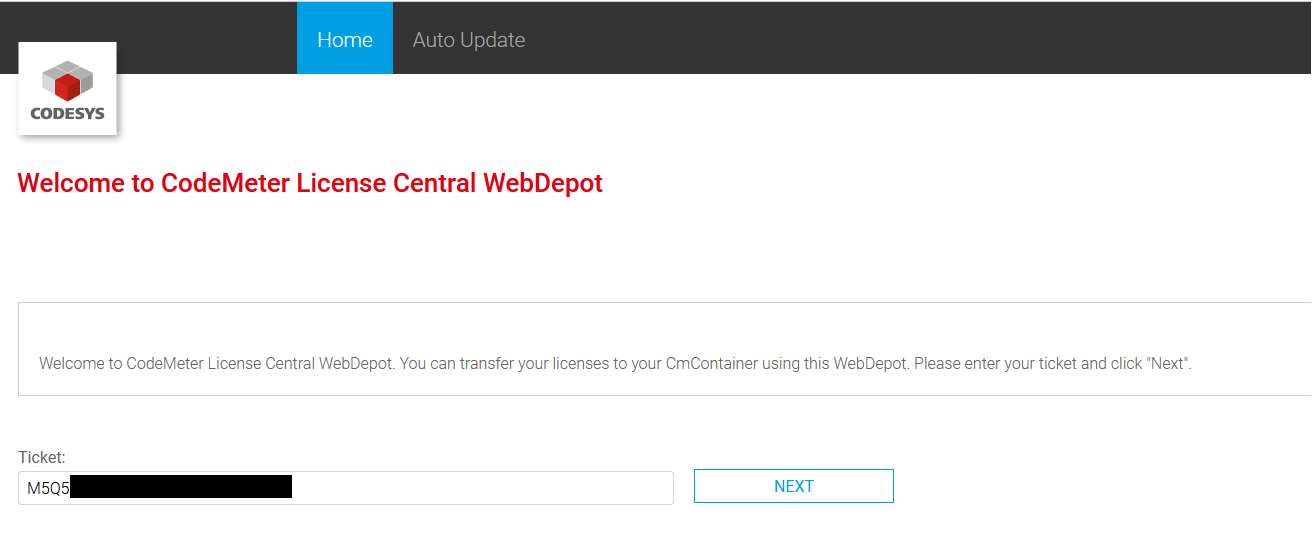
选择
CmActLicenseID 为 2001,公司代码为 6000437。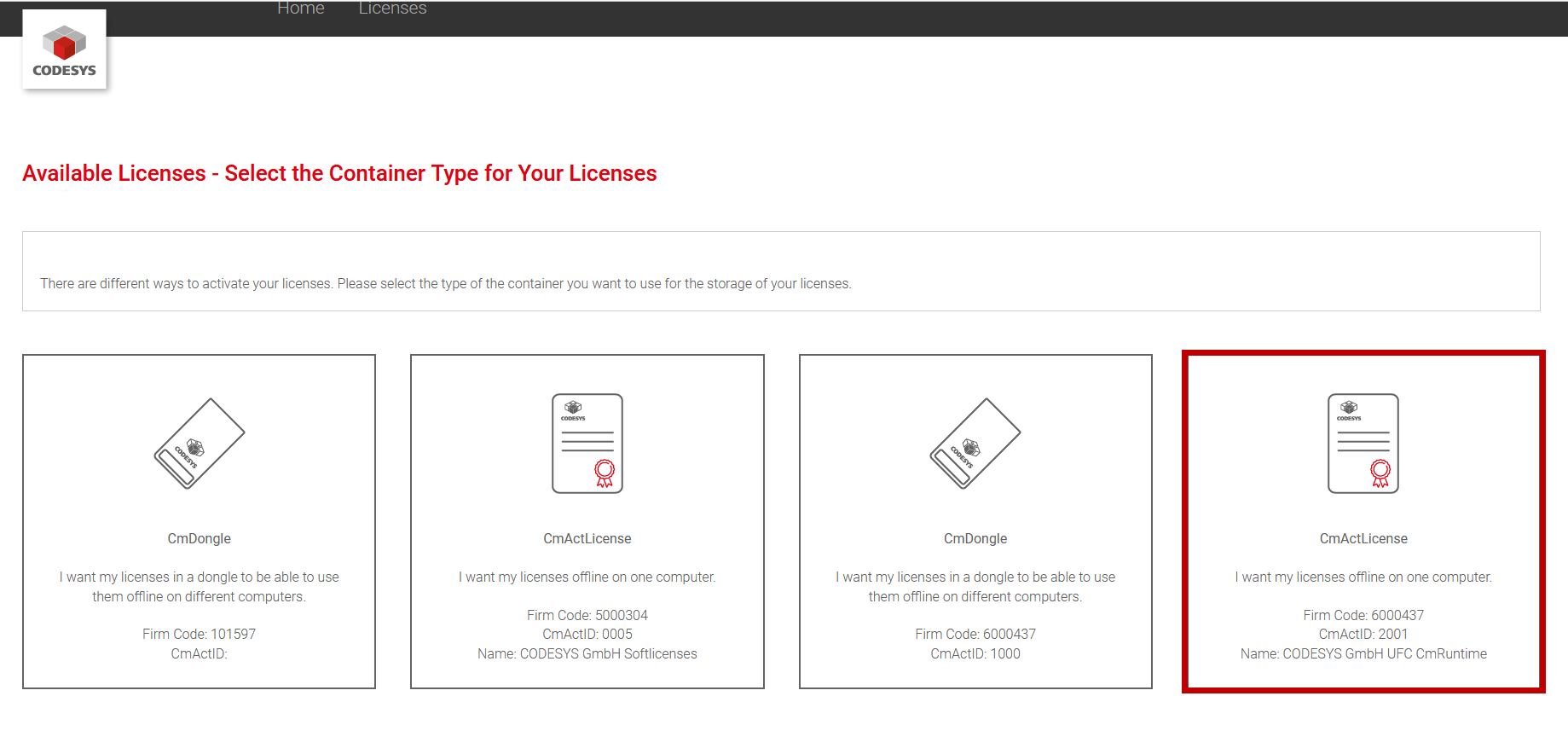
以下页面列出了票证中可用的许可证。
在右下角,单击
File-based license transfer。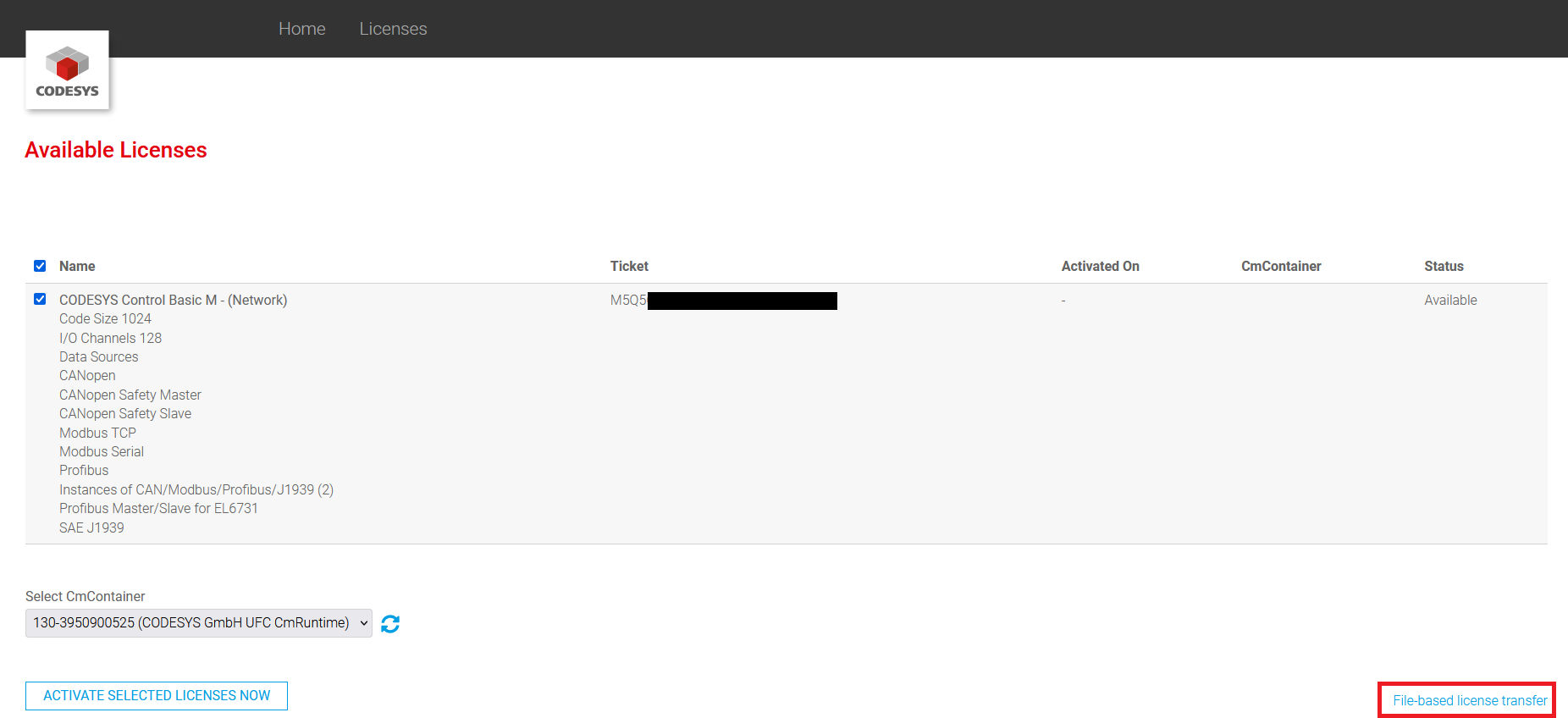
在下一页上,选择先前创建的上下文文件。
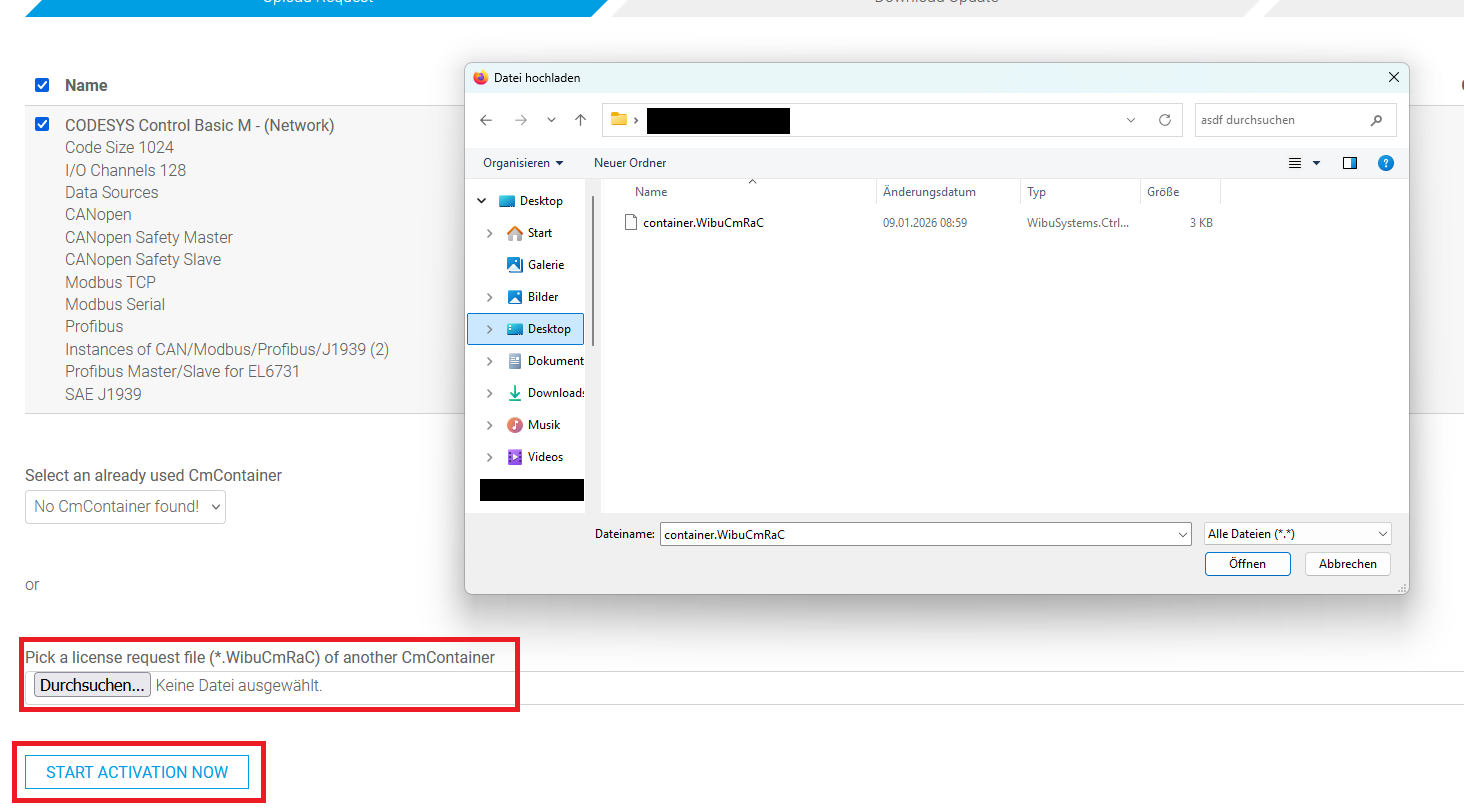
点击
START ACTIVATION NOW。下载许可证激活文件 (
*.WibuCmRaU)。将许可证激活文件加载到要许可的设备上。
导入许可证激活文件:
$ cmu --import --file 130-861410937.WibuCmRaU
许可证现已安装在控制器上。但是,对于支持请求,您还必须完成以下步骤并提交收据。
再次为同一个容器创建上下文文件。
$ cmu --context 6000437 --serial 130-861410937-314744622 --file container_Receipt.WibuCmRaC
在 CodeMeter 许可证中心 WebDepot 中,单击
Upload Receipt。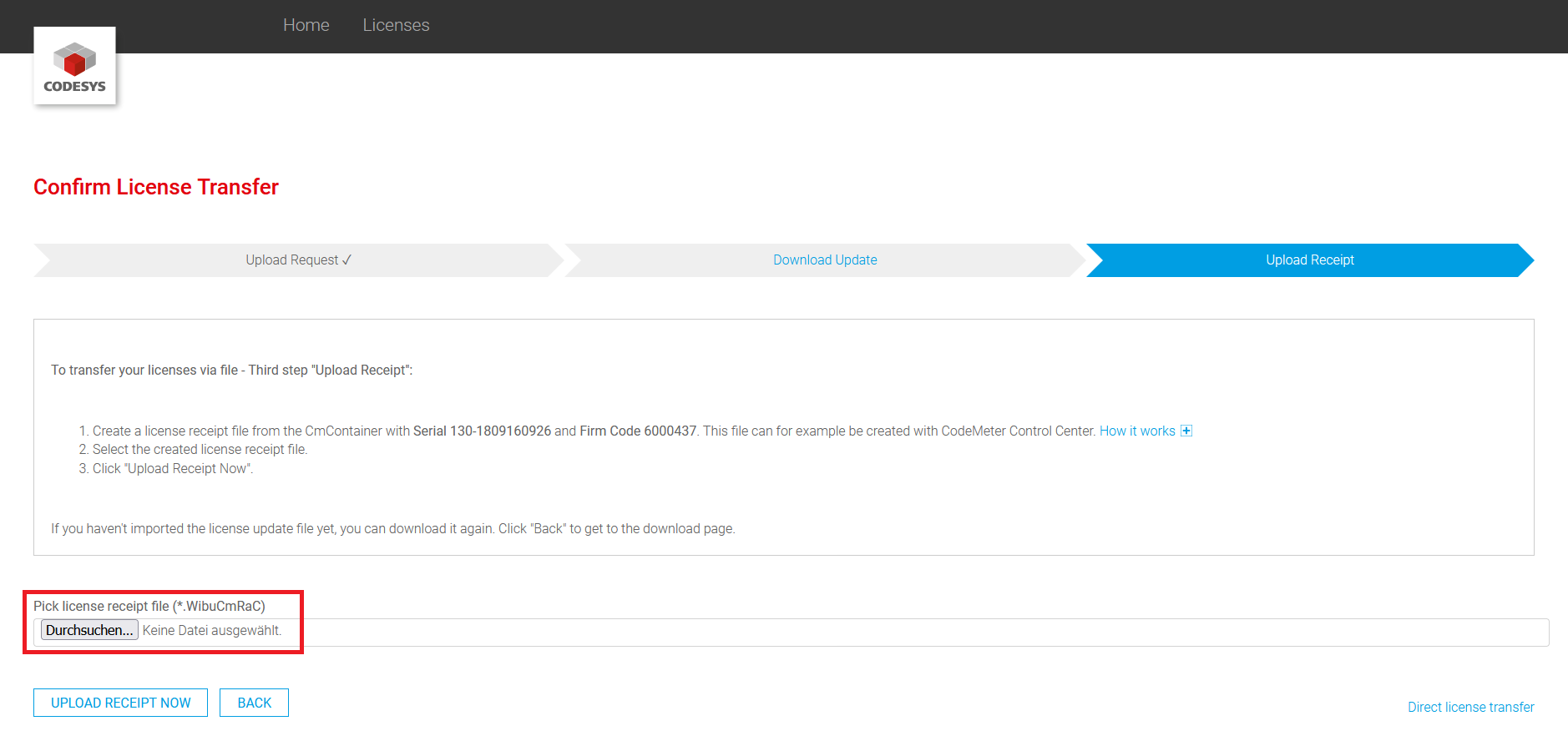
许可过程现已完成。