Command: Storage → Reset
Shortcut: R
Multiple allocation for R
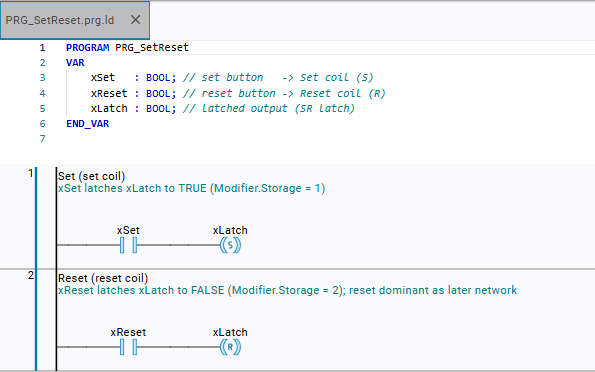
When you press R at a free position, a return element will be inserted. When you press R at a selected coil, the coil will become a reset coil.
Function: The command extends the selected element to include the Reset functionality. This is possible with a coil, but also with certain block outputs and outputs.
As soon as the input condition is TRUE, the assigned variable will be reset to FALSE.
Call: Context menu
Requirement: A coil is selected.
Example 22. Example
The Modification → Remove command (- key) will cancel the storage function.