CodeMeter Control Center
The Wibu CodeMeter Control Center can be used for different use cases, such as the following:
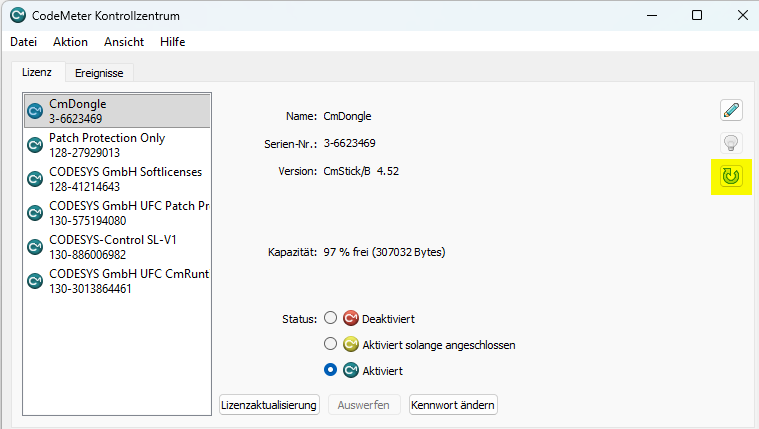
Firmware update from CmDongle:
A firmware update on a CmDongle can be triggered by clicking on the update icon.
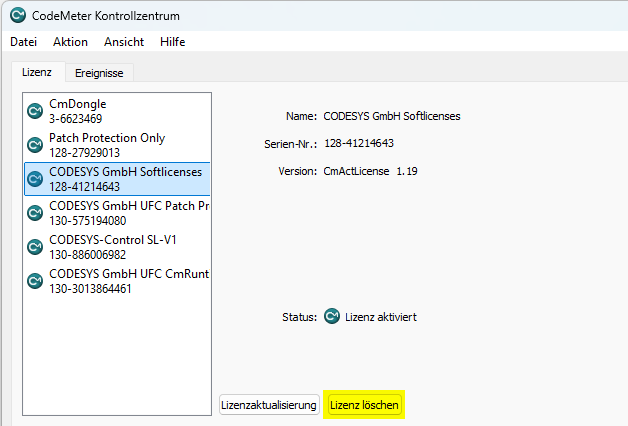
Delete a CmAct container:
Before deleting a CmAct container, you need to set the following entry in the Windows Registry and then restart the Control Center:
Windows Registry Editor Version 5.00

[HKEY_CURRENT_USER\Software\WIBU-SYSTEMS\CodeMeterCC]
"ProcessID"=dword:00000eec
"AllowCmActDelete"=dword:00000001
Then the Delete License button is displayed, which can be used to delete the CmAct license container: