Overview of Raspberry Pi Runtimes
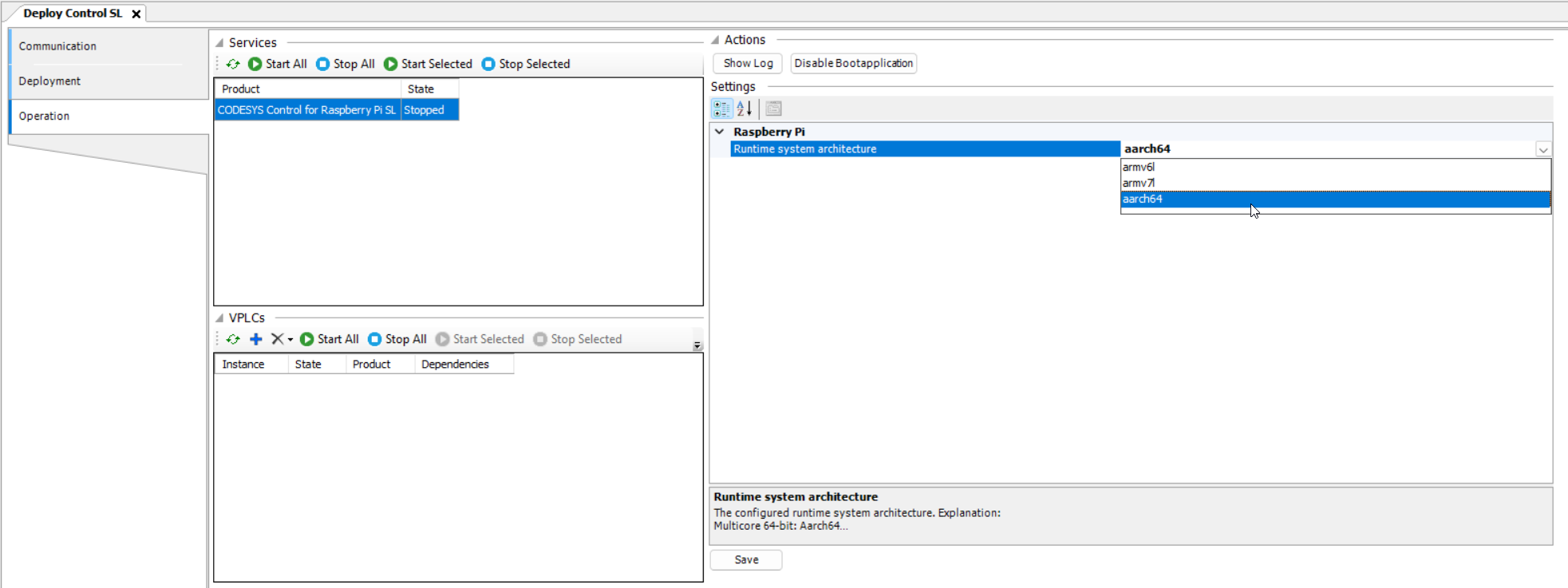
On the Operation tab, when you select the CODESYS Control for Raspberry Pi SL product for installation on your Raspberry Pi, the program automatically detects your configuration and installs the respectively compatible version of the binary file, which matches your hardware and operating system. If you are using a system with multiple architectures and need a different binary file, then you can change this later on the Operation tab. The tool prevents the selection of an incompatible runtime version.
 |
Select the respective device description for your project. There is only one device description for 64-bit systems. Depending on the license, the multicore functions are either enabled or disabled. With each license in the CODESYS Store International, you can use either the 32-bit or 64-bit application in your project.
The following table shows which device description (and therefore which product) can work together on which hardware (CPU architecture and operating system).
Name | CPU Architecture | CPU Version | Raspberry Pi Model | Raspberry Pi Image |
|---|---|---|---|---|
CODESYS Control for Raspberry Pi SL | 32 bit ARM | armv6l |
| only 32 bit |
CODESYS Control for Raspberry Pi MC SL | 32 bit ARM multicore | armv7l |
| only 32 bit |
CODESYS Control for Raspberry Pi 64 SL | 64 bit ARM 64 bit ARM multicore | armv8l/aarch64 |
| only 64 bit |